Picture a typical Tuesday: you spend eight hours hunched over a spreadsheet, then pivot straight into a three-hour raid with your squad. The desk stays the same, the screen stays the same, and unfortunately, so does that cheap office chair slowly destroying your lower back. This collision of work and play at a single workstation has become the norm for millions of people, yet most setups are built for neither task particularly well.
The consequences are predictable — chronic backaches that creep in by midafternoon, mental fatigue that tanks both your quarterly report and your kill-to-death ratio, and a general sense of physical wear that accumulates session by session. The culprit is almost always inadequate seating. An unsupportive chair forces your spine into unnatural curves, restricts circulation, and quietly erodes your focus long before you notice it happening.
An ergonomic gaming chair changes that equation entirely. Designed to support the human body through both the disciplined stillness of deep work and the reactive, dynamic movements of intense gaming, the right chair becomes the cornerstone of a high-performance setup. So how exactly do you choose and integrate the perfect ergonomic gaming chair to serve both worlds? That is precisely what this guide will help you figure out.
Why Ergonomics Matter: Beyond Just Comfort
Ergonomics is the science of designing environments to fit the people who use them, and nowhere does it matter more than in a chair you occupy for ten or more hours a day. When you sit without proper support, your lumbar spine loses its natural inward curve and shifts into a C-shape. That seemingly minor deviation increases pressure on your intervertebral discs by up to 40 percent compared to standing, accelerating wear that compounds over months and years into genuine musculoskeletal disorders. Neck strain, herniated discs, and chronic shoulder tension are not random misfortunes — they are predictable outcomes of ignoring how your body actually works while seated.
The dual demands of a hybrid work-and-gaming lifestyle create a specific challenge. Deep work requires a disciplined, upright posture that keeps your wrists neutral and your eyes level with your screen. Gaming, by contrast, invites a more reclined, reactive position where you shift weight, lean into turns, and occasionally slump back in relief after a clutch moment. A chair built for only one of these modes will actively fight you during the other. A genuine ergonomic chair bridges that gap by offering the adjustability to transition between focused productivity and relaxed play without forcing your spine to pay the difference.
Viewing an ergonomic chair as a luxury misframes the real calculation. Consider what chronic back pain actually costs: physiotherapy sessions, lost productive hours, over-the-counter pain medication, and the slow erosion of enthusiasm for the hobbies you work hard to enjoy. A quality ergonomic gaming chair is not an indulgence — it is preventive infrastructure, as essential to your setup as the machine sitting on your desk.
The Health and Productivity Payoff
The benefits of proper ergonomic support are concrete and well-documented. Consistent lumbar and cervical support dramatically reduces the risk of chronic back and neck pain, the two most common complaints among remote workers and heavy gamers alike. Correct seat depth and height improve lower-limb circulation, eliminating the pins-and-needles sensation that derails concentration mid-task. Beyond the physical, posture directly influences cognitive performance — studies consistently link upright, supported positioning to higher alertness and lower perceived stress, which translates to sharper decision-making in a quarterly report and faster reaction times in a firefight. For gaming specifically, reduced physical discomfort means longer, more enjoyable sessions without the nagging urge to stand up and stretch every thirty minutes. The payoff compounds: better health sustains better focus, and better focus delivers better results across everything you do at that desk.
Key Features of an Ergonomic Gaming Chair
Not all chairs marketed as “ergonomic” actually deliver meaningful support, and the gaming chair market is particularly crowded with products that prioritize aesthetics over function. Knowing which features genuinely matter helps you cut through the noise and invest in something that will hold up across a decade of work sprints and weekend raids.
Adjustability is King: Lumbar, Armrests, and Tilt
The single most important quality in any ergonomic chair is how precisely it can be configured to your body. Adjustable lumbar support is non-negotiable — 3D lumbar systems move in and out to match your spine’s natural curve, while 4D systems add height adjustment for a truly personalized fit. Armrests deserve equal attention: 4D armrests pivot, slide forward and back, and adjust in height, so your elbows stay at a neutral angle whether you’re typing a report or gripping a controller. Seat height and depth adjustment accommodate different leg lengths and keep your feet flat on the floor. Recline tension control lets you dial in the resistance so leaning back feels like intentional relaxation rather than accidental tipping — critical for those post-deadline decompression moments.
Material and Build for Durability & Comfort
The material covering your chair determines both its longevity and how comfortable it feels after hour six. Breathable mesh excels in warmer environments, preventing the heat buildup that makes you fidget and lose focus. PU leather offers a premium look and easy cleaning but can trap heat during long sessions. High-density foam padding strikes the balance between immediate comfort and long-term support — cheap foam compresses quickly and stops doing its job within months. Underneath it all, a reinforced metal base with a weight-appropriate rating ensures structural integrity, while smooth-rolling, floor-safe casters make repositioning effortless without scuffing hardwood.
The Luxury of Relaxation: Integrated Massage Functions
A gaming chair with massage capability addresses something standard ergonomic chairs cannot: active recovery during the session itself. Built-in vibration motors positioned at the lumbar region and seat base deliver targeted relief to the muscle groups that bear the most load during prolonged sitting. Some models add heating elements that gently warm the lower back, loosening tension that accumulates through hours of focused work before you ever load into a game. These features are not gimmicks for the hybrid user — they are a practical tool for resetting your body between a demanding workday and an evening of competitive play, reducing the physical fatigue that would otherwise blunt both your performance and your enjoyment.
Step-by-Step Guide to Choosing Your Dual-Purpose Throne
Selecting a chair that genuinely serves both your workday and your gaming sessions requires more than scanning a spec sheet. A structured approach prevents you from overspending on features you will never use or, worse, underinvesting in the ones that matter most to your body and routine.
Step 1: Assess Your Daily Routine and Space
Start by honestly auditing how you actually spend time at your desk. Track a typical week: how many hours are dedicated to focused work tasks versus gaming, and do those sessions blend together or stay clearly separated? A person logging six work hours followed by four gaming hours needs a chair that transitions smoothly, while someone who games exclusively on weekends can weight their priorities differently. Measure your desk height and the footprint available in your room — oversized chairs with wide bases can overwhelm compact setups and restrict movement. Note your room’s temperature tendencies too, since a south-facing room that bakes in the afternoon will make material choice far more consequential than it might otherwise seem.
Step 2: Prioritize Features Based on Your Needs
Once you understand your routine, rank features rather than chasing everything at once. Chronic lower back pain makes a 4D adjustable lumbar system your absolute first filter — nothing else matters if your spine is unsupported. If you stream or game for four or more consecutive hours, breathable mesh and integrated massage functions move to the top of the list, since heat buildup and muscle fatigue will cut your sessions short long before your enthusiasm does. Remote workers who type heavily should weight 4D armrest adjustability heavily, as neutral elbow positioning prevents the wrist and shoulder strain that compounds across a full workweek. Write your top three non-negotiables before you begin comparing models.
Step 3: Set a Budget and Research Brands
Ergonomic gaming chairs generally fall into three tiers. Budget options under $200 offer basic adjustability but typically use lower-density foam and limited lumbar systems that degrade within a year of daily use. Mid-range chairs between $200 and $500 hit the sweet spot for most hybrid users, delivering genuine 4D adjustability, quality materials, and meaningful structural durability. Premium chairs above $500 introduce advanced features like dynamic lumbar systems, superior mesh, and integrated massage — worthwhile for anyone spending eight-plus hours daily in the chair. Brands with strong ergonomic credibility in the gaming space include AutoFull, Secretlab, Herman Miller’s gaming line, and Noblechairs, each with distinct strengths across these tiers.
Case Study: Optimizing with the AutoFull M6 Pro
Abstract features become real when you examine a specific chair against the criteria outlined above. The AutoFull M6 Pro is a compelling case study precisely because it was designed with the hybrid user in mind — someone who needs a chair to perform through a full workday before transitioning into an extended gaming session without skipping a beat.
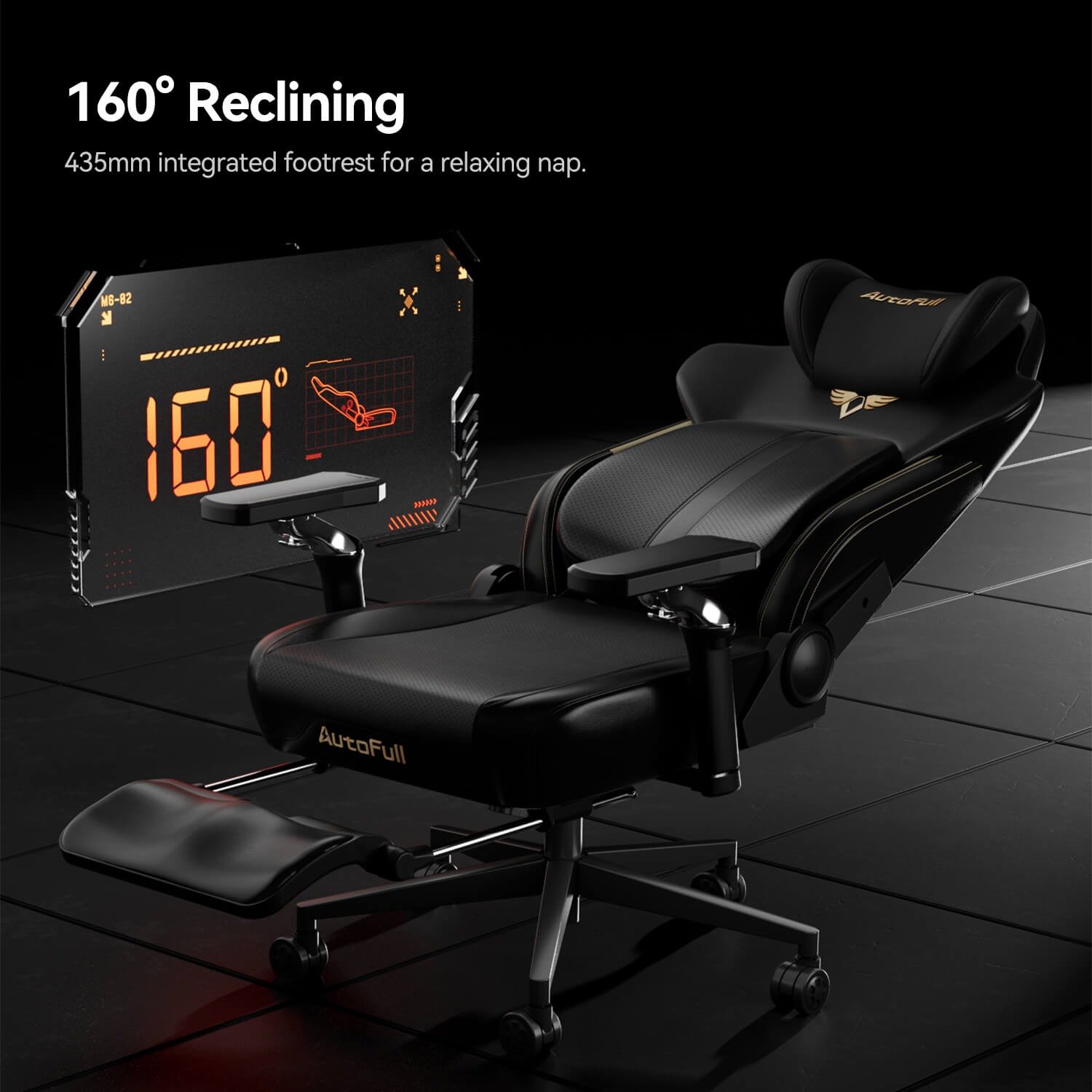
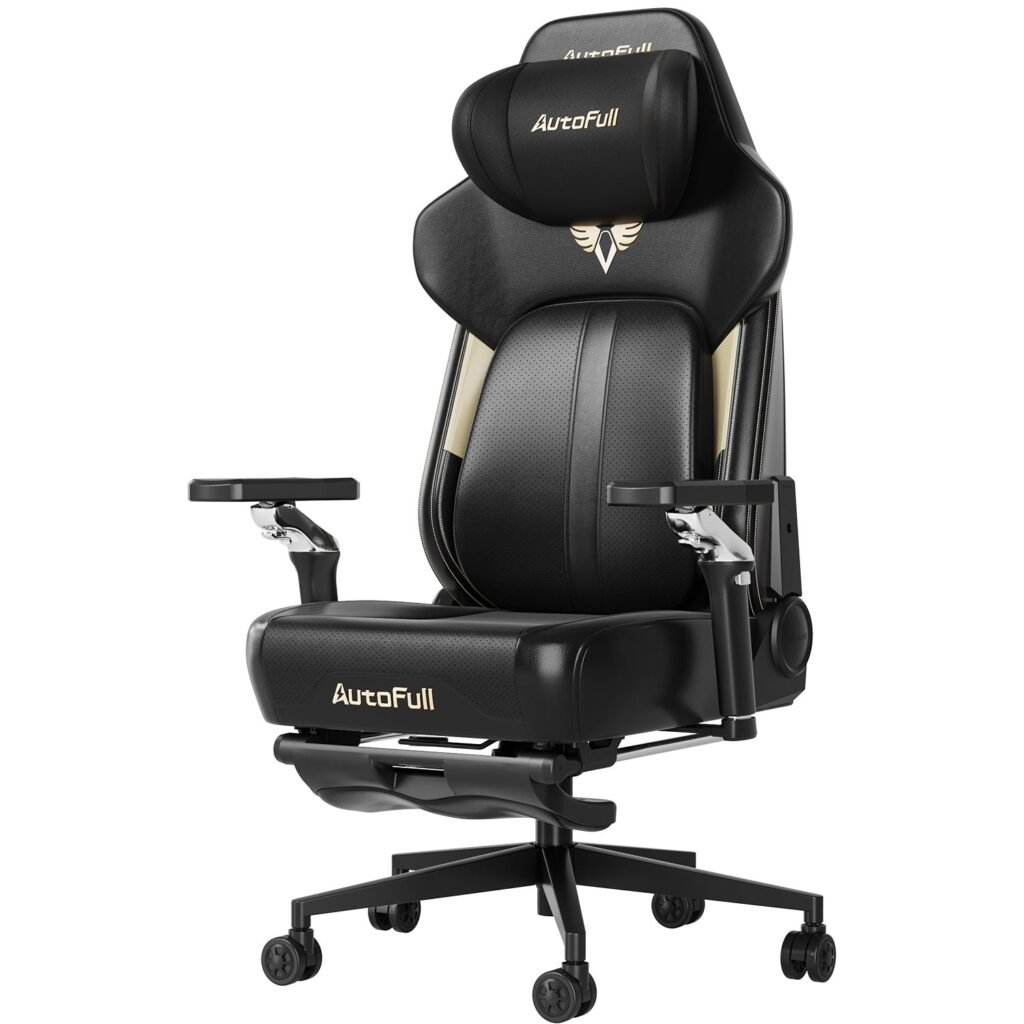
The M6 Pro’s lumbar system is genuinely adjustable, moving both vertically and horizontally to match individual spinal curves rather than forcing your back to adapt to a fixed support position. Its 4D armrests cover the full range of neutral elbow positioning, accommodating the shift from keyboard typing to controller grip without requiring manual readjustment every time you switch modes. The recline mechanism handles up to 155 degrees, giving you the disciplined upright angle for focused work and a genuinely relaxed position for post-deadline decompression or casual play.
Where the M6 Pro distinguishes itself most clearly is its integrated massage and heating system. Vibration motors embedded in the lumbar zone and seat base deliver targeted relief to exactly the muscle groups that accumulate tension through long sitting sessions. The heating function adds gentle warmth to the lower back — a meaningful benefit for anyone who moves straight from an eight-hour workday into a competitive gaming session and arrives already carrying physical fatigue. The primary trade-off worth noting is weight: the reinforced frame that gives the M6 Pro its structural durability makes it less suited to frequent repositioning around a room. For a dedicated desk setup, however, that is rarely a practical concern.
Integrating Your Chair into the Ultimate Gaming Setup
A great ergonomic chair does not operate in isolation — its benefits multiply when the rest of your workstation is calibrated around it. The chair sets the foundation, but your desk height, monitor position, and peripheral placement all need to align with that foundation to deliver the full ergonomic payoff. Treating the chair as one node in a connected system rather than a standalone purchase is what separates a genuinely optimized setup from a collection of expensive gear that still leaves you hunching by hour three.
Synergy with Desk, Monitor, and Peripherals
Begin with chair height: adjust it until your feet rest flat on the floor and your knees sit at roughly a 90-degree angle. From there, set your desk height — or raise your monitor — so the top of the screen lands at or just below eye level, keeping your neck neutral rather than craned upward or drooped forward. Your keyboard and mouse should sit close enough that your elbows stay bent at 90 to 110 degrees with your shoulders relaxed, a position made far easier when your armrests are dialed in to match. If your desk is fixed-height and the numbers do not align perfectly, a monitor riser or a footrest closes the gap without requiring new furniture. The goal is a straight line from chair support through spine to screen — once that alignment exists, everything else at your desk simply works better.
Your Chair Is the Foundation of Every Great Session
Every component in your setup — your monitor, your peripherals, your machine — serves a specific function. But none of them determines how your body feels at hour eight the way your chair does. An ergonomic gaming chair is not a finishing touch or an upgrade for later; it is the foundational element that makes every other investment in your workspace actually pay off. Sit poorly, and no amount of high-refresh displays or mechanical keyboards will prevent the fatigue and pain that quietly chip away at both your productivity and your enjoyment.
The path to the right chair is straightforward when you follow the criteria laid out here. Prioritize genuine adjustability — particularly lumbar support and 4D armrests — because fit is everything. Choose materials suited to your environment and session length. If you regularly transition from demanding work hours into extended gaming, features like integrated massage and heating are not indulgences; they are practical tools for physical recovery between sessions. Products like the AutoFull M6 Pro demonstrate that a single chair can credibly serve both worlds without compromise.
Pair your chosen chair with a properly aligned desk, monitor, and peripherals, and you have built something worth more than the sum of its parts: a workspace that actively supports your health rather than eroding it. That is the real optimization — and it starts the moment you stop tolerating the wrong chair.