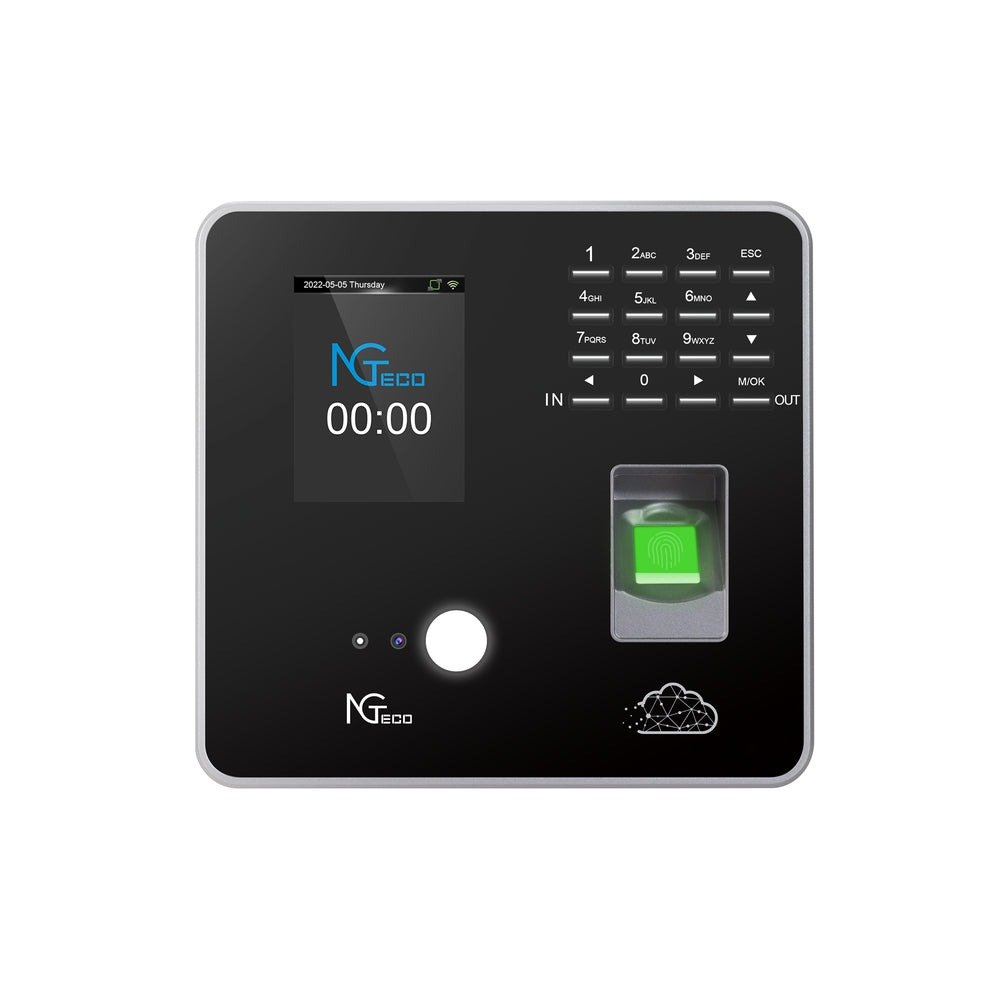
If you’re an HR manager at a medium-sized company, you know the frustration intimately: spreadsheets riddled with errors, buddy punching that inflates labor costs, and the impossible task of reconciling attendance records across five or six departments before payroll deadlines. Traditional attendance tracking doesn’t just waste time—it creates blind spots that undermine workforce planning and erode trust between management and employees. Modern fingerprint time machines have fundamentally changed this equation. These devices now do far more than verify identity at the door; they generate continuous streams of real-time data that flow directly into cloud-based platforms, giving HR leaders instant visibility into workforce patterns across every department simultaneously. This article explores how to strategically leverage that real-time attendance data—not merely to track who showed up, but to enable cross-department oversight, generate immediate actionable reports, and transform raw timestamps into decisions that improve operational efficiency. Whether you’re evaluating a new system or optimizing an existing one, you’ll find a practical roadmap for turning fingerprint machine data into a genuine competitive advantage for your organization.
The Foundation: Understanding Fingerprint Time Machines and Real-Time Attendance Data
Modern fingerprint time machines are biometric workforce management devices that capture far more than a simple clock-in or clock-out event. When an employee places their finger on the scanner, the device authenticates identity through unique ridge patterns, then instantly transmits a rich data packet to a centralized system. That packet includes a precise timestamp, the device location, the employee’s assigned department tag, and often their shift classification—all generated in milliseconds.
Real-time attendance data refers to this continuous, immediate flow of information from device to platform without batch delays or manual uploads. Unlike traditional systems where logs sat in a physical terminal until someone downloaded them weekly, cloud-based attendance systems now push every scan event to a central dashboard the moment it occurs. This means HR managers see workforce status as it unfolds—not hours or days later.
The evolution here is significant. Manual punch cards gave way to magnetic swipe systems, which gave way to biometrics. But the real leap happened when these devices connected to cloud infrastructure, transforming isolated data points into a living, queryable dataset. Each fingerprint scan becomes part of a broader analytical picture: patterns in tardiness, overtime trends by department, seasonal absenteeism spikes, and staffing gaps that only emerge when you view data holistically across the organization. This is where attendance data stops being administrative overhead and becomes a strategic asset that informs scheduling, budgeting, and workforce planning decisions.
Solving Core HR Needs: Strategic Management of Cross-Department Attendance
Managing attendance across departments with fundamentally different work patterns is one of the most persistent headaches for HR managers in medium-sized companies. Your production floor operates on rotating shifts with strict start times, your sales team works flexible hours with frequent off-site visits, and your administrative staff follows a standard nine-to-five schedule. Applying a single attendance policy uniformly across these groups creates friction, inaccuracies, and resentment. Department-specific tracking solves this by allowing fingerprint machines and their connected software to segment data according to each department’s unique rules and expectations.
The configuration starts at the device level. Modern fingerprint time machines can be grouped by physical location or logical department assignment, meaning a scan at a warehouse terminal automatically tags that event with the production department’s parameters. The software layer then applies department-specific rules—grace periods, overtime thresholds, break calculations—so that the same raw timestamp generates contextually appropriate attendance records. A five-minute late arrival might trigger an alert for the assembly line but fall within acceptable flex time for marketing staff.
The benefits cascade through multiple HR functions. Payroll processing becomes faster because overtime and shift differentials are pre-calculated by department. Resource allocation improves when managers can instantly see which teams are consistently understaffed during peak hours. Departmental accountability increases because each manager receives attendance metrics relevant to their team’s specific expectations rather than generic company-wide averages. This granular visibility transforms attendance from a compliance checkbox into a management tool that respects operational differences while maintaining organizational oversight.
Implementing Department-Specific Tracking: A Step-by-Step Guide
Start by auditing your current departmental structures—confirm reporting hierarchies, shift patterns, and any informal arrangements that need formalization. Next, configure device groups within your cloud-based attendance platform, assigning each fingerprint machine to its corresponding department or location. Then map every employee to their correct department profile, ensuring transfers and dual-role staff are properly categorized. Set access permissions so department managers view only their team’s data while HR retains full cross-department visibility. Finally, run a two-week parallel test comparing the new system’s output against manual records to catch configuration errors before going live. The most common pitfall is neglecting to update department assignments when employees transfer—build a monthly reconciliation step into your process to prevent data drift.
Unlocking Actionable Insights: The Power of Real-Time Reporting Features
Having real-time data flowing into your system is only valuable if you can interpret it quickly enough to act. This is where real-time reporting transforms attendance management from a reactive administrative task into a proactive strategic function. For HR managers juggling multiple departments, the ability to see what’s happening right now—not what happened last week—fundamentally changes how workforce issues get addressed.
Real-time reporting encompasses live dashboards that update with every fingerprint scan, automated alerts triggered by predefined thresholds, and continuously refreshing data feeds that reflect current workforce status across the entire organization. Unlike static reports generated at month-end, these tools present attendance information as a dynamic picture that shifts throughout the day. A dashboard might show you at 9:15 AM that three production line workers haven’t clocked in, while simultaneously revealing that your customer service team is running at 120% capacity due to unplanned overtime.
The types of reports available from modern cloud-based attendance systems span everything from granular individual attendance histories to broad organizational trend analyses. Daily summaries highlight late arrivals and early departures. Weekly views surface absenteeism patterns that might indicate morale issues or scheduling conflicts. Monthly overtime reports broken down by department expose budget overruns before they compound. Seasonal comparisons reveal staffing needs you can anticipate rather than scramble to cover. These reports also integrate with payroll platforms, HRIS systems, and project management tools, ensuring attendance data feeds directly into compensation calculations, compliance documentation, and workforce planning models without manual re-entry. The result is faster decisions grounded in current reality rather than outdated assumptions.
Building Your Real-Time Reporting Dashboard: Key Steps
Begin by selecting attendance software that offers configurable real-time dashboards rather than rigid, pre-built templates—your reporting needs will evolve as your organization grows. Next, define your key performance indicators: identify which metrics matter most for your context, whether that’s tardiness rates, overtime hours by department, or absenteeism frequency. Configure automated alerts for anomalies—set thresholds like “notify HR when any department drops below 80% attendance” or “flag any employee exceeding 10 overtime hours weekly.” Invest time training your HR team not just on reading dashboards but on interpreting patterns and knowing when data warrants intervention versus when it reflects normal variation. Finally, establish a cadence of weekly dashboard reviews with department managers and monthly deep-dive sessions where you examine trends and adjust policies accordingly. Cloud infrastructure makes all of this accessible from any device, meaning you’re never disconnected from workforce insights regardless of where you’re working.
Advanced Capabilities: Multi-Language Support and Cloud-Based Flexibility
For medium-sized companies with diverse workforces—whether employing multilingual staff domestically or managing teams across regional offices—multi-language support in attendance systems isn’t a luxury feature. It’s a practical necessity that directly impacts adoption rates and data accuracy. When employees interact with fingerprint machines and their associated portals in their preferred language, they understand shift assignments, leave policies, and notifications without confusion. This reduces errors during onboarding, ensures compliance communications are actually comprehended, and eliminates the friction that causes workers to avoid self-service features they can’t navigate confidently.
Cloud-based attendance systems amplify these benefits through architectural advantages that on-premise solutions simply cannot match. Remote access means HR managers review attendance data from home, during travel, or across satellite offices without VPN headaches or local server dependencies. Scalability allows you to add new departments, locations, or hundreds of employees without hardware upgrades—the platform grows with your organization. Data security improves because reputable cloud providers invest in encryption, redundancy, and disaster recovery at levels most mid-sized companies couldn’t afford independently. Automatic updates ensure your system always runs the latest features and security patches without IT intervention or scheduled downtime.
Contrast this with on-premise alternatives: servers that require physical maintenance, software that stagnates between expensive upgrade cycles, and data trapped behind office firewalls inaccessible during emergencies. Cloud-based flexibility transforms your attendance infrastructure from a fixed cost center into an adaptive platform that supports real-time decision-making regardless of where your people—or your managers—happen to be working on any given day.
From Data to Decision: A Practical Implementation Roadmap
Turning real-time fingerprint data into organizational advantage requires a structured approach that builds momentum without overwhelming your team. This roadmap synthesizes everything discussed into a sequential plan designed for HR managers ready to move from concept to execution.
Phase one is needs assessment and goal setting. Before touching any technology, document your specific pain points: Where does attendance data currently fail you? Which departments generate the most payroll disputes? What decisions would you make differently with real-time visibility? Define measurable goals—reduce timesheet corrections by 50%, cut payroll processing time by two days, or eliminate buddy punching entirely. These benchmarks will guide every subsequent choice and provide clear ROI metrics post-implementation.
Phase two involves selecting the right fingerprint time machine and software combination. Evaluate devices based on scan speed, capacity for your workforce size, network connectivity options, and environmental durability for different work settings. Hardware manufacturers like NGteco offer biometric devices designed with cloud connectivity and multi-department configurations in mind, making it worth evaluating options that natively support the real-time data flows discussed throughout this guide. For software, prioritize platforms offering configurable department-specific tracking, real-time reporting dashboards, multi-language interfaces, cloud-based access, and open APIs for integration with your existing payroll and HRIS systems.
Phase three is phased deployment and training. Roll out to one department first—ideally one with straightforward shift patterns—to identify configuration issues in a controlled environment. Train department managers on their specific dashboards before expanding organization-wide. Employee communication matters enormously here; explain how the system benefits them through accurate pay and transparent records.
Phase four covers data migration and integration. Import historical attendance records to maintain continuity for compliance purposes. Connect your attendance platform to payroll software, scheduling tools, and any leave management systems already in use. Verify data flows correctly through the entire chain before decommissioning legacy processes.
Phase five is continuous monitoring and optimization. Schedule quarterly reviews of your attendance KPIs against the goals established in phase one. Adjust department rules, alert thresholds, and reporting configurations as your organization evolves. Solicit feedback from department managers about which reports drive their decisions and which generate noise. This iterative refinement ensures your system remains a strategic tool rather than becoming another neglected administrative platform.
Transforming Biometric Attendance Data into Strategic HR Advantage
Real-time data from fingerprint machines represents far more than a technological upgrade to attendance tracking—it’s a strategic shift in how HR managers govern workforce operations across complex, multi-department organizations. The journey from raw biometric scans to actionable intelligence follows a clear path: establish department-specific tracking that respects each team’s unique operational rhythm, build real-time reporting dashboards that surface problems before they compound, and leverage cloud-based infrastructure with multi-language support to ensure accessibility and scalability as your organization grows.
The practical impact is measurable and immediate. Payroll disputes decrease when timestamps are accurate and contextually processed. Staffing gaps become visible in real time rather than surfacing weeks later in budget reviews. Department managers gain accountability through transparent metrics tailored to their specific expectations. And HR leaders transition from administrative gatekeepers into strategic partners who bring data-driven insights to workforce planning conversations. For medium-sized companies navigating growth, competitive pressure, and increasingly complex labor dynamics, embracing real-time fingerprint machine data positions HR not as a back-office function but as a forward-looking driver of operational efficiency and organizational trust. The technology exists today—the competitive advantage belongs to those who implement it deliberately.