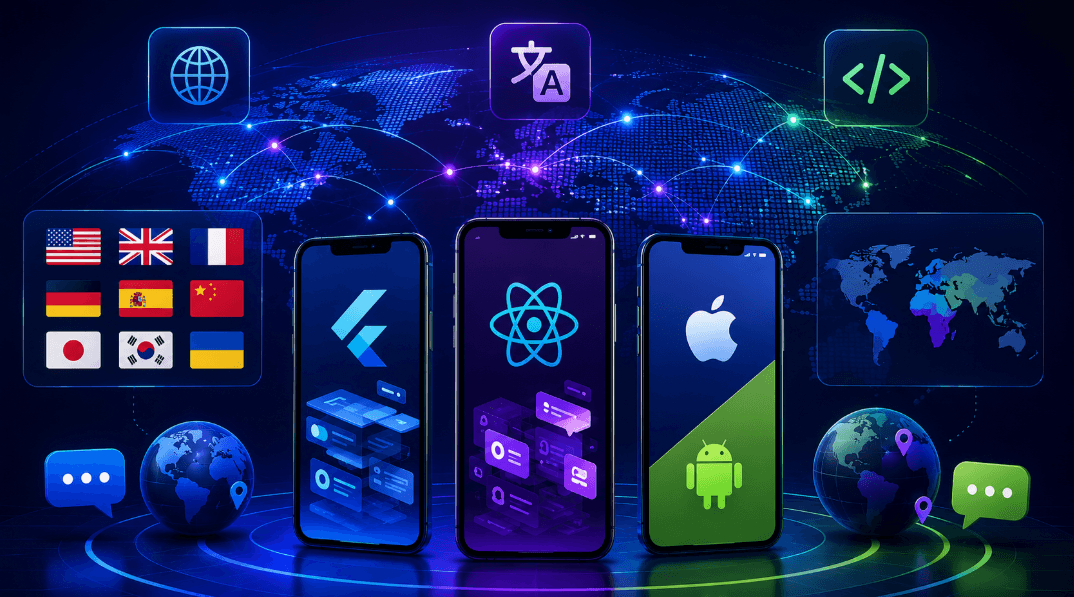
Cross-Platform Mobile Localization in 2026: How Flutter, React Native, and Native iOS/Android Compare

Key Takeaway: Cross-platform mobile localization is not a solved problem — each framework handles multilingual content through fundamentally different technical patterns that shape how easy or painful adding languages becomes over the life of the app.
TL;DR: Flutter uses ARB files with the Intl package and code generation. React Native typically pairs with i18next or react-i18next for JSON-based translations. Native iOS uses .strings and .stringsdict; Android uses XML resource files in values-<locale> directories. The framework choice affects file formats, integration workflows, and long-term maintenance costs. Modern teams increasingly use cross-framework localization platforms that abstract these differences.
Mobile apps in 2026 face more demanding multilingual requirements than ever. App Store and Google Play rankings reward localized listings, retention curves in non-English markets bend sharply upward when the app speaks the user’s language, and entire categories of mobile apps — fintech, health, education — depend on regional adaptation to operate at all. Yet the technical work of actually making a mobile app multilingual varies dramatically depending on which cross-platform framework the team chose during initial development.
The decision teams make early — Flutter, React Native, native iOS/Android, or a hybrid stack — has long-term consequences for localization operations that most product leaders underestimate. For teams working specifically in Flutter, Crowdin’s guide on flutter localization walks through the framework-native patterns — ARB files, the Intl package, code generation, and locale delegates — that this article covers as one of three primary cross-platform approaches. Each approach has different strengths, different pain points, and different implications for the overall localization workflow.
This article breaks down how each major cross-platform framework handles localization in 2026, compares their technical patterns, identifies which approach fits which team profile, and covers the mistakes that consistently trip up teams regardless of which framework they choose.
What Cross-Platform Mobile Localization Actually Involves
Localization for cross-platform mobile apps is more than translating strings. Every framework must handle:
- String externalization — user-facing text lives in resource files separate from code
- Locale-aware formatting — dates, times, numbers, currencies formatted per user locale
- Plural rules — different languages have different plural forms (Russian has three, Arabic has six)
- Right-to-left script support — Arabic, Hebrew, and Farsi require mirrored layouts
- Text expansion tolerance — German is often 30 percent longer than English
- Font and script rendering — CJK characters, diacritics, combining characters
- Dynamic content updates — over-the-air translation delivery for live apps
Every cross-platform framework handles these dimensions differently. The differences are not just cosmetic — they shape how much engineering work each new language requires, how translators interact with content, and how quickly translation updates reach production.
Flutter’s Approach: ARB Files and the Intl Package
Flutter’s localization stack centers on ARB (Application Resource Bundle) files and the flutter_localizations package with its dependency on intl. Each locale gets its own .arb file (app_en.arb, app_de.arb, app_ja.arb), containing key-value pairs with optional metadata for placeholders and plural rules.
Code generation is the defining pattern. The intl_utils package (or the newer built-in gen_l10n tool) reads ARB files and generates strongly-typed Dart classes at build time, giving developers autocomplete and compile-time safety when referencing translated strings. Plural rules use ICU MessageFormat syntax directly in ARB files, and Flutter handles selection at runtime.
Strengths:
- Type-safe code generation prevents runtime errors from misspelled keys
- ARB format supports rich metadata for translators (context, descriptions, placeholders)
- Native ICU MessageFormat support for complex pluralization
- Single-source-of-truth pattern that works well with translation platforms
Trade-offs:
- ARB is a Flutter-specific format that translators may need training to work with (though most modern localization platforms handle it natively)
- Code generation must be re-run when translations change
- Requires framework-specific integration in localization pipelines
React Native’s Approach: i18next and JSON-Based Libraries
React Native does not ship with built-in localization tooling — teams choose from third-party libraries, with i18next and react-i18next being the most common in 2026. Translations typically live in JSON files (en.json, de.json, ja.json) organized by namespaces or feature areas.
The pattern is more flexible than Flutter’s but requires more setup decisions. Teams choose whether to bundle translations into the app binary, load them from a remote server, or use over-the-air update libraries. Language detection integrates with react-native-localize or similar packages.
Strengths:
- JSON is universally understood by translators and platforms
- Flexible loading strategies (bundled, remote, hybrid)
- Rich ecosystem of plugins for pluralization, formatting, interpolation
- Easy integration with React web codebases that share components
Trade-offs:
- No native type-safety — translation keys are strings that break silently
- Multiple libraries and setup patterns produce fragmentation across teams
- Manual configuration for plural rules and locale-aware formatting
Native SDK Approaches: iOS Strings and Android XML
Teams building native iOS and Android apps use the OS-provided localization stacks. iOS uses .strings files (key-value pairs) and .stringsdict for plurals; Android uses XML resource files in values-<locale> directories.
Both platforms integrate deeply with their respective build systems and provide runtime locale switching without app restart. Modern SwiftUI (iOS) and Jetpack Compose (Android) offer additional patterns for reactive locale updates.
Strengths:
- Native performance and integration with OS-level locale handling
- Mature tooling, extensively documented
- No third-party dependencies for basic localization
- Xcode and Android Studio provide native editor support
Trade-offs:
- Two separate localization stacks to maintain (one per platform)
- iOS .strings syntax is fragile — a missing semicolon breaks the file
- Android XML plurals are less flexible than ICU MessageFormat
- Sharing translation memory between iOS and Android requires external tooling
Which Approach Fits Which Team
The optimal framework depends on team profile:
- Solo developers or small teams shipping cross-platform: Flutter offers the fastest path to production with the least configuration overhead
- Teams with strong React expertise or shared web codebases: React Native’s flexibility fits existing patterns
- Teams prioritizing native performance or platform-specific UX: Native iOS and Android give maximum control at the cost of duplicated work
- Enterprise teams shipping in 10+ languages: All three approaches benefit from a translation platform that abstracts framework differences and provides shared translation memory across the stack
Modern localization platforms increasingly handle all three approaches through native connectors, which means the framework choice is decoupled from the translation workflow. Teams can switch platforms or add new frameworks without redoing localization infrastructure from scratch.
Common Mistakes Across All Frameworks
Regardless of framework, teams tend to stumble on the same recurring mistakes:
Hardcoding strings in early development. Feature teams under deadline inline English text “temporarily” and promise to externalize it later. Later never comes. Lint rules that fail the build on hardcoded user-visible strings prevent this cleanly.
Building UI around English text lengths. Layouts that work in English break in German or Finnish. Design with a 40 percent expansion buffer and run pseudo-localized builds in the design review process.
Ignoring pluralization until it becomes a bug report. Teams write “You have {count} messages” and discover during translation that this construction produces incorrect grammar in Russian, Arabic, and Polish. Use ICU MessageFormat or framework-native plural support from day one.
Treating localization as a launch-week task. Freezing English content and handing it off for translation two weeks before launch consistently ships broken international versions. Continuous localization workflows solve this.
Not versioning translation memory. Teams migrate between vendors or platforms without exporting translation memory in portable formats (TMX, XLIFF). Years of accumulated translations become orphaned assets.
See also: Modern Advancements in Metal Bending Technology
Frequently Asked Questions
What is the difference between internationalization (i18n) and localization (l10n) in mobile apps?
Internationalization is the engineering work that makes an app capable of supporting multiple languages — externalizing strings, handling script rendering, supporting plural rules. Localization is the process of adapting the app for specific markets: translating strings, adjusting cultural elements, formatting per locale.
Which cross-platform framework is best for multilingual apps?
No framework is universally best. Flutter offers the fastest cross-platform localization with code generation; React Native offers maximum flexibility; native SDKs offer maximum performance and platform integration. The right choice depends on team expertise, performance requirements, and existing codebase patterns.
How do teams share translations across iOS and Android in a native stack?
Through a translation platform or localization management system that stores translations in a neutral format and exports to platform-specific files (.strings, .xliff for iOS; XML for Android). Modern platforms handle this synchronization automatically through native connectors.
Can AI translation replace human translators for mobile apps?
Not fully. AI handles routine content (UI strings, help articles, item descriptions) with high accuracy. Character dialogue, marketing copy, and culturally sensitive material still benefit from human translators. The dominant 2026 model is AI-first drafting with human review on flagged segments.
What is over-the-air translation delivery?
Over-the-air (OTA) translation lets apps update strings without shipping a new binary through the App Store or Google Play. This dramatically reduces the fix-to-live time for translation corrections and enables A/B testing translation variants directly in production.
Which file formats work best for mobile translation platforms?
iOS: .strings, .stringsdict, .xliff. Android: XML resource files. Flutter: ARB. React Native: JSON. Modern localization platforms support all of these natively through built-in parsers and can synchronize translations across all formats.
Conclusion
Cross-platform mobile localization in 2026 is more capable and more automated than it was five years ago, but the framework choice made during initial development still shapes long-term operations significantly. Flutter, React Native, and native SDKs each handle localization through different technical patterns, and each is the right choice for different team profiles.
For deeper technical guidance on the standards that underpin locale-aware behavior in every mobile framework, the W3C Internationalization Working Group publishes the authoritative reference material on scripts, character sets, text direction, and locale identification. Its guidance is the source that every framework — Flutter, React Native, native iOS, and native Android — builds on, and it remains the definitive resource for teams designing multilingual mobile applications at scale.