The way people create and produce digital content is changing quickly. As AI becomes more connected with 3D printing, turning an idea into a physical object no longer needs to start with complicated modeling software or professional skills. AI 3D printing is gradually becoming an important part of creative work, helping designers, makers, educators, and everyday users transform imagination into real products.
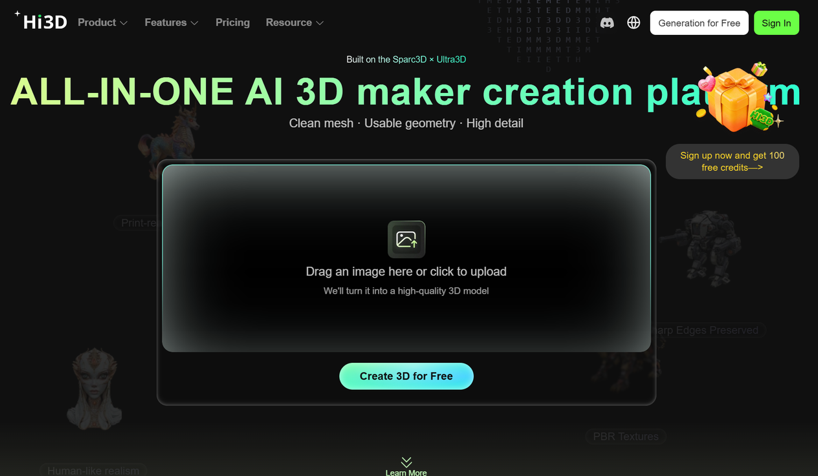
Hi3D is built around this shift. By combining AI 3D generation, texture creation, and print preparation features, Hi3D helps users move from a simple concept to a usable 3D asset. Instead of focusing only on generating a model, Hi3D aims to improve the complete creative process, from the first image or idea to the final printable object.
For many users, the biggest challenge in 3D creation is not printing itself, but creating a high-quality model before printing. Hi3D addresses this challenge through functions such as image and text to 3D generation, AI texture generation, multi-color printing, model splitting, and smart arrangement, making 3D creation more accessible for different types of users.
1. Why AI 3D Creation Is Becoming More Important in Everyday Creativity
The development of 3D printing has expanded beyond industrial manufacturing. Today, individuals use 3D printing for personalized products, collectible figures, educational projects, prototypes, creative decorations, and many other applications. However, traditional 3D modeling still requires time, technical knowledge, and professional tools.
This creates a gap between ideas and physical creation. Many people have creative concepts but struggle to build accurate 3D models from scratch. AI-powered 3D tools are helping close this gap by allowing users to generate models from simpler inputs, such as images, descriptions, or creative ideas.
Hi3D focuses on reducing the complexity behind 3D creation. As an AI-powered AI 3D model maker, Hi3D allows users to explore a more direct way of creating printable 3D content without spending large amounts of time learning traditional modeling workflows.
2. Turning Images and Words into 3D Models with Hi3D
For many creators, the first challenge is converting a visual idea into a real 3D structure. A character illustration, product concept, or personal image may look complete in 2D, but transforming it into a printable model usually requires professional modeling experience.
Hi3D provides a solution by allowing users to generate 3D models from images and text descriptions, creating a smoother connection between imagination and physical creation.
2.1 From Visual Concepts to 3D Assets with AI Generation
The image to 3D model AI capability helps users transform 2D references into three-dimensional models. Instead of manually building every surface and structure, users can start from an existing image and allow AI to interpret the visual information, create depth, and generate a 3D result.
This feature is especially useful for creators who work with illustrations, concept images, product ideas, or personalized designs. For example, an artist can create a character illustration and use Hi3D to explore it as a physical collectible. A designer can also transform a concept image into a prototype model before moving into further development.
The advantage of AI-based generation is not only speed. It also lowers the technical barrier for users who have creative ideas but limited experience with 3D software.
2.2 Text-to-3D Creation for Faster Idea Exploration
Images are not the only way to begin the creative process. Hi3D also supports text-based 3D generation, allowing users to describe their ideas and explore different possibilities.
For creators, this means the early stage of design becomes more flexible. Instead of spending hours building basic shapes, users can focus more on creative direction, style, and concept development.
This approach is valuable for many scenarios, including character design, creative products, educational models, and personalized objects. By combining text understanding with 3D generation, Hi3D helps users experiment with ideas before committing to detailed production.
3. Bringing More Realism to Models with AI Texture Generation
Generating a 3D shape is only one part of creating a finished asset. Surface details, colors, and materials often determine whether a model looks realistic and ready for presentation or printing.
Many AI-generated models face challenges with textures. Without detailed surface information, a model may appear incomplete, especially when users want to create realistic characters, products, or collectible objects.
Hi3D improves this part of the workflow through AI texture generation, helping users create more detailed and visually complete 3D assets.
3.1 Creating Detailed Surfaces with AI Texturing
The AI 3D model texture generator feature helps automatically create textures for 3D models, adding visual details that improve the final appearance.
For designers and creators, texture generation reduces the time needed for manual painting or complicated material editing. Users can generate models with richer surface information, making them more suitable for display, presentation, and further production.
This is particularly helpful for creators working on characters, toys, digital collectibles, product visualization, and other projects where appearance is an important part of the final result.
3.2 Higher Quality Texture Output with Hi3D V3.0
With the release of Hi3D V3.0, texture quality has been further improved. According to the official product information, V3.0 increases texture output capability up to 8K and upgrades its self-developed UV completion algorithm, improving pattern edge clarity, color transition consistency, and the recognition of detailed textures after enlargement.
This upgrade is important because high-quality textures allow AI-generated models to move closer to real production needs. Whether the model is used for digital presentation, 3D printing preparation, or creative development, clearer textures provide more possibilities.
4. Supporting the Complete 3D Printing Workflow Beyond Model Generation
Creating a model is only the beginning of the 3D printing process. Many users still face additional challenges, including preparing models for printing, separating complex structures, managing colors, and arranging parts efficiently.
Hi3D extends beyond basic generation by adding practical tools that help users prepare models for real printing scenarios.
4.1 Multi-Color Printing, Model Splitting, and Smart Arrangement
Hi3D provides additional features including multi-color printing, split-for-printing, and smart arrangement functions.
The multi-color printing feature helps transform textured AI-generated models into printable multi-color objects by improving color mapping and reducing unnecessary manual adjustments. The system focuses on creating more continuous color regions, improving print stability, and helping users better connect digital designs with real filament materials.
The split-for-printing function helps creators prepare larger or more complex models by separating models into printable parts and adding assembly connectors when needed. This reduces the manual work usually required before printing, especially for figures, collectibles, and large models.
Smart arrangement further improves the preparation stage by helping arrange parts on the build plate, suggest printing orientations, and export 3MF files with recommended slicer settings.
For makers who need a complete workflow, Hi3D works not only as a 3D model maker online, but also as a bridge between AI creation and actual manufacturing.
5. Hi3D V3.0: Moving AI 3D Generation from Creation to Production
The release of Hi3D V3.0 represents an important step in the development of AI 3D creation. Instead of only improving generation speed or visual effects, this version focuses on making AI-generated models more practical for real-world use.
Hi3D V3.0 is introduced as a new-generation general AI 3D model. The upgrade increases geometric reconstruction resolution to 2048³ voxel-level, making it the first commercially available AI 3D model with this level of precision. It also increases texture output up to 8K and improves cross-view structure reasoning and self-developed UV completion technology.
5.1 Three Major Improvements Behind Hi3D V3.0
The first improvement is higher geometric accuracy. By increasing reconstruction resolution from 1536³ to 2048³ voxel-level, V3.0 can preserve more small structural details, including fine patterns, mechanical connections, text edges, and complex shapes.
The second improvement is stronger structural stability across different viewpoints. Since a single image only shows one visible side of an object, AI must predict hidden areas and spatial relationships. Hi3D V3.0 improves multi-view reasoning and reduces structural errors in areas such as occlusion and complex object interactions.
The third improvement focuses on production usability. By combining improved geometry, texture quality, and practical tools such as smart splitting, multi-color printing, and arrangement features, Hi3D V3.0 aims to reduce the manual repair work required before models enter real workflows.
5.2 From Version Evolution to Industry Applications
Hi3D’s development reflects a clear direction: moving from simply generating models toward supporting complete production workflows.
The evolution began with V1.0, which introduced commercial AI image-to-3D generation with 1536³ voxel resolution. V2.0 further integrated geometry and texture generation, improved hidden structure completion, and introduced a more complete creation process. V3.0 continues this development by focusing on geometry precision, complex structures, texture quality, and production preparation capabilities.
These improvements create opportunities across multiple industries. From 3D printing and digital art to games, animation, jewelry design, cultural products, education, e-commerce content, and industrial design, different industries share similar requirements for accurate geometry, clear textures, reasonable structures, and editable 3D assets.
By lowering the difficulty of creating high-quality 3D content, Hi3D helps more professional creators and everyday users access usable, printable, and editable 3D assets.
See also: Modern Advancements in Metal Bending Technology
6. Experience Hi3D V3.0 and Explore the Future of AI 3D Creation
AI 3D printing is moving from experimental technology into a practical creative tool. With features such as image and text-to-3D generation, AI texture creation, multi-color printing, splitting, and smart arrangement, Hi3D provides a more complete way for users to transform ideas into physical creations.
The launch of Hi3D V3.0 brings this experience to a new stage. With 2048³ high-precision AI 3D generation, improved structure reasoning, enhanced texture quality, and stronger production workflow support, Hi3D V3.0 focuses on reducing the gap between digital imagination and real manufacturing.
To celebrate the release, Hi3D is opening a limited 48-hour free experience for global users. From August 19, 2026, 00:00 to August 20, 2026, 24:00 (Beijing Time), users can access Hi3D V3.0 through the official website with unlimited generation usage during the experience period.
For anyone interested in AI-powered 3D creation, this is an opportunity to experience how ideas can move from images and words into detailed, production-ready 3D models.