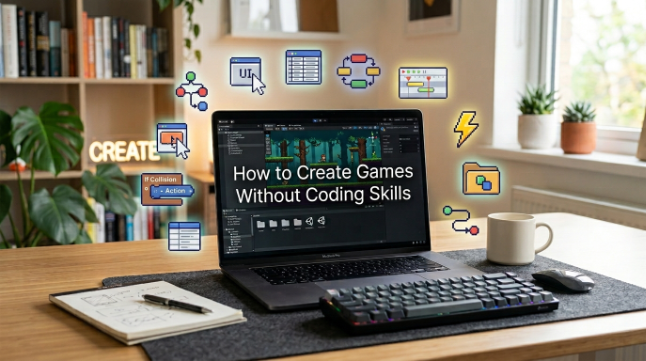
Have you ever had a cool game idea but didn’t know where to start because you can’t code? You don’t have to wait a long time to learn programming, but you’re bursting to make your idea a reality. But these days, with easy-to-use tools, you can create game projects without writing a single line of code. There’s also Astrocade, a game creation system that can boost a new user’s game-making skills.
This guide will teach your how to map out your concept, select simple tools, work with basic gameplay, put your project to the test, and finally share it with the rest of the world. You don’t have to know it all before you start. You can learn along the way, building your game little by little with systems like Astrocade.
Plan Your Game
When selecting a tool, consider what types of games you want to develop. Consider the Genre, Main Character, Objective, & Gameplay mechanics. A brief puzzle, arcade or platform game is usually more attainable as a first project rather than a vast open-world quest.
Type up your idea in a few plain sentences. For example, a player may assume the role of a character that gathers items while avoiding dangers. Knowing what you want will provide you with a focus and your first game won’t spiral out of control.
See also: Protecting Your Digital Life
Pick Easy Tools
Choosing the right game creator can simplify the work a lot. Look for features like visual editing, templates, asset packs, and easy controls. These tools are great for getting beginners into game design without worrying about technical configurations.
Also make sure the tool supports the type of project you need to build. Some platforms are best for browser games, while others suit more specialized development. Consider your options and choose one that fits your skill level and purpose.
Build With Ease
No-code development platforms let you create games with visual actions instead of writing code. You might add characters, objects, levels, sounds, and simple rules with drag-and-drop controls. This way, you can make game projects even if coding isn’t your strong point.
Start with the most important gameplay mechanic. If you are making a platform game, start off with moving, jumping, platforms, and a finish point. When those features are working correctly you can add enemies, power-ups, sounds, effects and more levels.
Test And Improve
Testing lets you find problems before anyone else plays your game. Play the game a few times and check the controls, stages, visuals, sound effects, and game rules. Look for anything that is unclear, not functioning, too easy, or too difficult.
Also, have friends or other players playtest it. They may find glitches that you don’t because you know how the game works. Listen to what they have to say, tweak a little and test the revised version again.
Share Your Game
When you think you’re done with your project, stop playing it and start letting other people play it. You can publish your game on the site and/or, depending on the platform you selected, distribute it through other means or straight to your friends. Pick a simple and descriptive title, and enter some rudimentary instructions to tell the player what to expect.
If your first game is basic, don’t fret. Finishing a small project teaches invaluable lessons in game design, testing, and player feedback. You can use this to pursue more ambitious projects or different genres later.
Conclusion
You don’t need to be a seasoned programmer to make games. With simple, straightforward tools, a well-defined concept, and a little patience, you can create a working prototype without having to handle complex coding. The best way to go is to start small and learn by doing particularly if you want to make a game like Tiny Survivor.
Your first game might be buggy or have simple graphics, and that’s perfectly expected. Keep playing around, upgrade one feature at a time, get some player feedback. You’ll be more confident with each new project, and you will find new ways to make fun game experiences for people to play.
FAQs
Can I make a game without coding?
Yes. Many no-code and visual game creation tools let novices create games without coding.
What should I make as my first game?
Start with a simple idea, such as a puzzle, an arcade game, a platformer, or a straightforward adventure. Smaller projects can be completed and tested more easily.
Are no-code game tools good for beginners?
Yes, they generally come with a visual editor, templates, drag-and-drop features, and other tools that simplify the game development process.
Can I add characters and sounds without coding?
Many game-making platforms let you import images, characters, sounds, animations, and other assets using point-and-click interfaces.
How can I make my game better?
Play your game a lot and get other people to play it. Use their comments to identify bugs, refine controls, adjust difficulty, and make the game more fun to play.